How to Use QR Codes Strategically in Your Small Business Marketing

Written By: TaKenya
Published: July 20, 2024
Modified: September 27, 2026

The links in this post may be affiliate links. That means that if you click them and make a purchase, this site makes a commission. It will have no impact on the price you pay or the experience of your purchase.
I see small business owners adding QR codes to everything… emails, digital fliers, social posts, you name it. And then they wonder why no one is scanning them. The problem isn’t the QR code. The issue is placement.
So let’s get into when QR codes actually make sense. Including when to skip them and how to set them up so they work the way you need them to.
What QR Codes Actually Do (and Why That Matters)
A QR code is essentially a scannable shortcut.
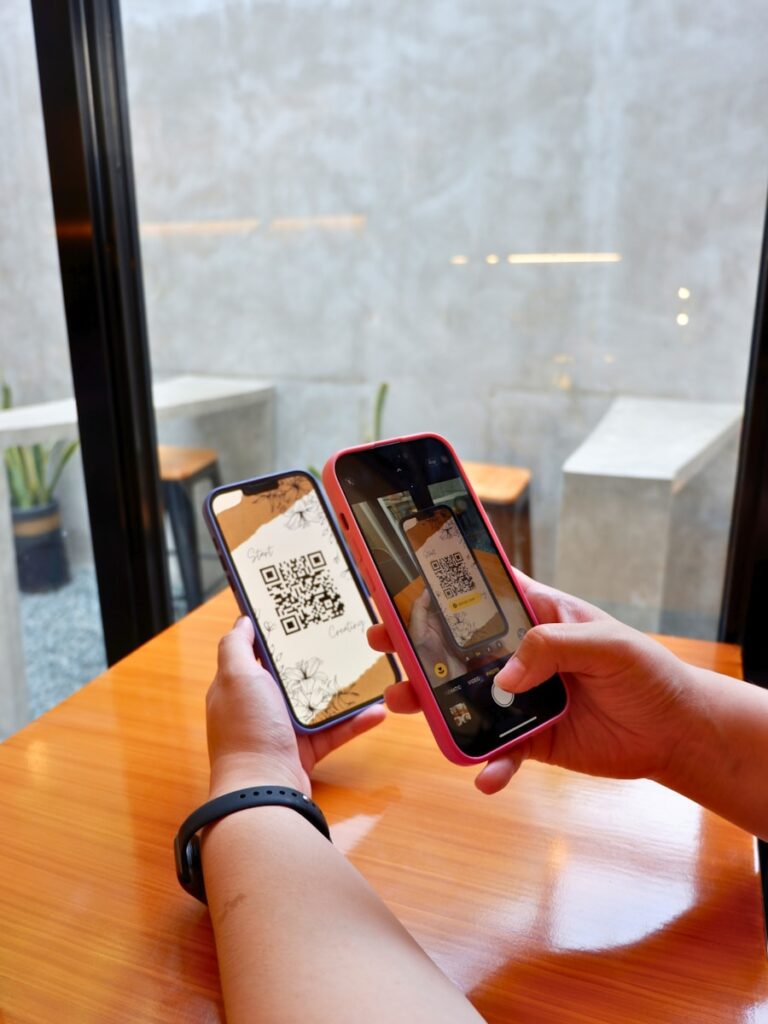
Instead of asking someone to type in a URL, remember a web address, or search for something later, you give them a code they can scan with their phone camera and land exactly where you want them.
That is powerful, but only when the person scanning it is holding a physical device and looking at something they cannot already click.
That one distinction is the foundation of every decision you should make about where to use them.
Where QR Codes Work Well
QR codes shine brightest when someone is standing in front of something physical and needs a fast way to get online.
Think about the environments where your audience actually shows up in person.
Print Materials
Business cards, brochures, postcards, rack cards, and fliers handed out in person are all excellent candidates.
Instead of listing a long URL or hoping someone remembers to look you up later, a QR code bridges that gap instantly.
I was visiting a local small business a while back that had great educational content posted around the location. The systems strategist in me immediately thought about how much more useful that content would be with a QR code linking back to their website.
It would let people access the information later, allow the business to update it without reprinting anything, and potentially bring in new traffic from people who found that content valuable enough to scan.
That is the kind of strategic thinking that turns a passive print piece into an active marketing tool.

Events and Networking
If you are attending events as a business owner, QR codes are genuinely a smarter move than handing out business cards that may never be used. My business cards actually have a QR code on them!
A QR code linked to your contact information, a landing page, or a special offer gives people an immediate way to connect with you, and you control exactly where they land.
I have started incorporating QR codes into my own presentations, and the difference is noticeable.
Instead of just telling an audience where to find something, I put a QR code directly on the slide. They can scan it right then and access a free download, sign up for my email list, or take advantage of an offer made specifically for that room.
No typing required, no forgetting about it later.
In-Store Signage and Product Displays
If you have a physical location, QR codes on signage, display stands, or packaging give customers a way to get more information, leave a review, or explore your full offerings without needing a staff member available.
They also make it easy to update information without reprinting materials. Just update the destination page, and every existing QR code points to the new content automatically (more on this when we get to tools).
Where QR Codes Do NOT Belong
This is the part that does not get talked about enough, and it is causing a lot of wasted effort.
Emails
Do not put a QR code in an email. The person reading your email is already on a device with a browser. They can click a link.
Asking them to open their camera app, scan their screen, and wait for a page to load is a genuinely worse experience than a regular hyperlink, and most people simply will not do it.
If your goal is to drive someone to a page, use linked anchor text. It is faster, more accessible, and it works on every device without any extra steps.
Fliers Sent by Text
A flier image sent via text may look like a natural place for a QR code, but the same logic applies.
The recipient is already on their phone. They are not going to screenshot your image, leave their messages app, open a camera or scanner, and then scan their own screen.
It is too many steps, and most people will not make it through all of them.
For digital-only distribution, whether that is a text, an email, a social post, or anything else someone is viewing on a screen, a clickable link will always outperform a QR code.
Save the QR code for when someone is physically in front of something they cannot click.
Social Media Posts
A QR code in a static social media graphic has the same problem. If someone is scrolling through Instagram or Facebook on their phone, they cannot scan an image they are already viewing on that same phone.
And on desktop, scanning requires a second device entirely. Use a link in bio, a swipe-up, or a linked caption instead.
The Right Tool for Creating QR Codes
For a long time, Canva was a go-to option for creating quick, customizable QR codes.
That changed when Canva moved branded QR codes (without the Canva logo) behind their business-tier plan. Putting another brand’s logo on your professional QR code is not a great look, and there are better options available.
For Studio117 Creative, the tool I use and recommend is Pretty Links. It is a WordPress plugin that does a lot more than create QR codes.
It lets you create clean, branded short links, track clicks, and generate QR codes for any link in your account.
Because it lives inside your WordPress dashboard, everything is in one place, and you can update where a link points at any time without the QR code itself changing.
The one thing to know about this: Pretty Links is a WordPress-exclusive tool. If your website is not built on WordPress, it will not be an option for you. (If you are curious why Studio117 Creative builds exclusively on WordPress, this page breaks that down.)
For non-WordPress users, look for standalone QR code generators that offer dynamic QR codes, meaning you can update the destination URL after the code has already been created and distributed.
A Few Things to Keep in Mind Before You Go Live
Before you put a QR code anywhere, run through these quickly.
Test it on multiple devices. Scan it yourself on both iOS and Android if you can, and make sure the destination page loads correctly and looks good on mobile.
Make sure the destination is mobile-optimized. If someone scans a QR code on their phone and lands on a page that is hard to navigate on mobile, you have lost them. The experience needs to feel seamless from scan to landing.
Give people a reason to scan. A QR code with no context is just a black-and-white square. Tell people what they will get: a discount, a free resource, your contact info, a special offer. The value has to be clear before they commit to scanning.
Brand it if you can. A QR code that incorporates your brand colors or logo looks intentional rather than thrown together. This matters especially on print materials where first impressions count.
The Bottom Line
QR codes are not complicated, but they are misused constantly. The rule of thumb is simple… if the person can already click something, give them a link. If they are standing in front of something physical, a QR code earns its place.
Used in the right context, with the right tool and a clear destination, QR codes can genuinely extend your marketing reach from the event floor to your email list, from a postcard to a landing page designed just for that audience.
That is the kind of strategic thinking that makes your marketing work harder without adding more to your plate.
If you are ready to give your QR codes a destination worth scanning, start with a branded link page that is actually yours. Learn more about Studio Connect, a professional social landing page with no subscription required.